
Changelog
The docs do not keep a second copy of every release note. The installed version, notes, and release history live in Settings → About & Updates. Installers always come from the official download page, the same distribution used by Download on the website.
- Installed version and updates: Settings → About & Updates
- Reinstall by architecture: Quick start / Install
- Appearance, privacy, and other settings: Settings
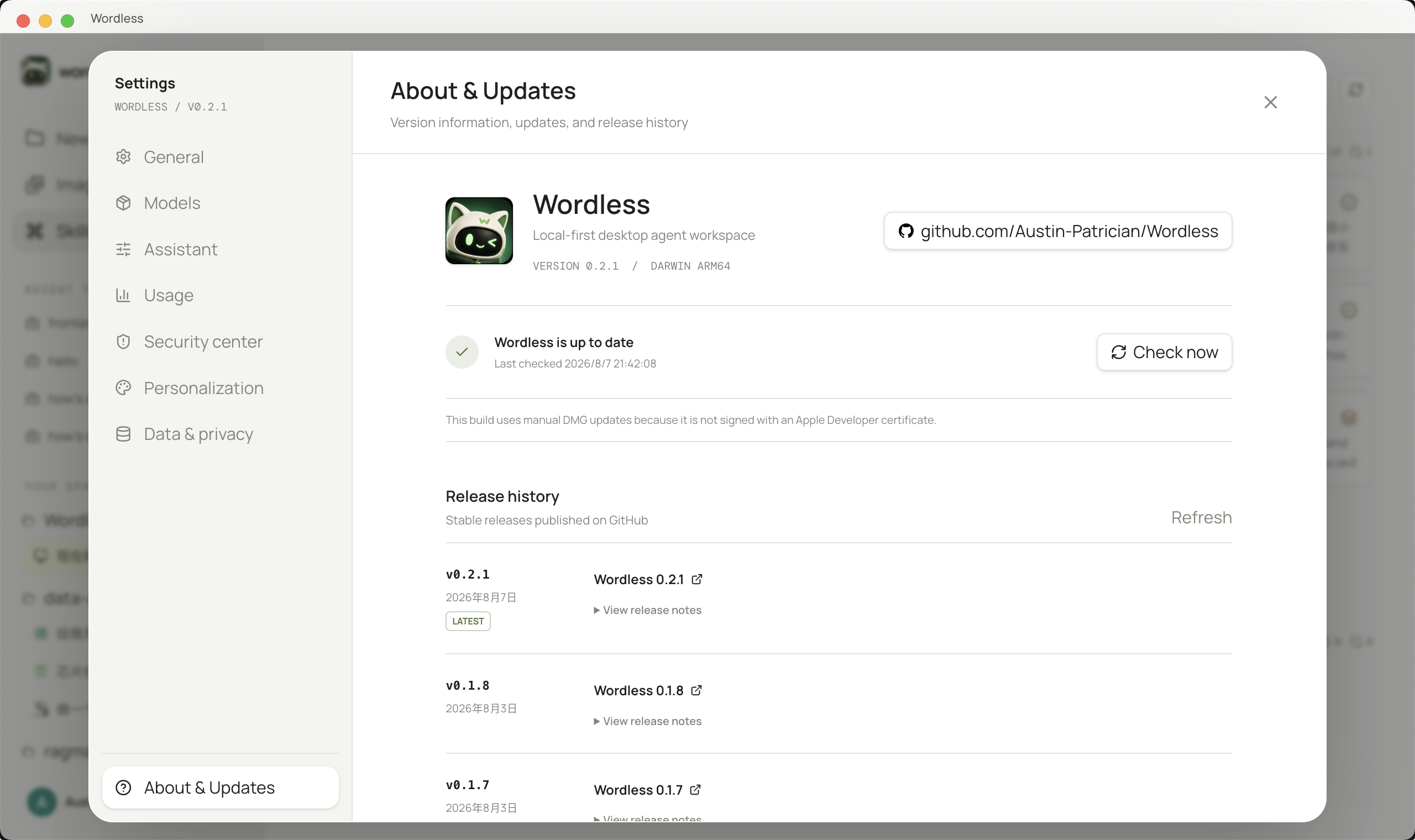
Check the current version
Section titled “Check the current version”- Open Settings → About & Updates.
- Confirm the app name, version, and architecture match the package you installed.
- Expand the release history for notes relative to the current version.
- To install an update, check for a release, read the notes, then defer or download. When the download finishes, use Restart & Install.
Unsigned macOS test builds may fail system code-signature checks. Do not retry auto-update in a loop; follow Quick start and install the matching package from the official download page.