
Skills & MCP
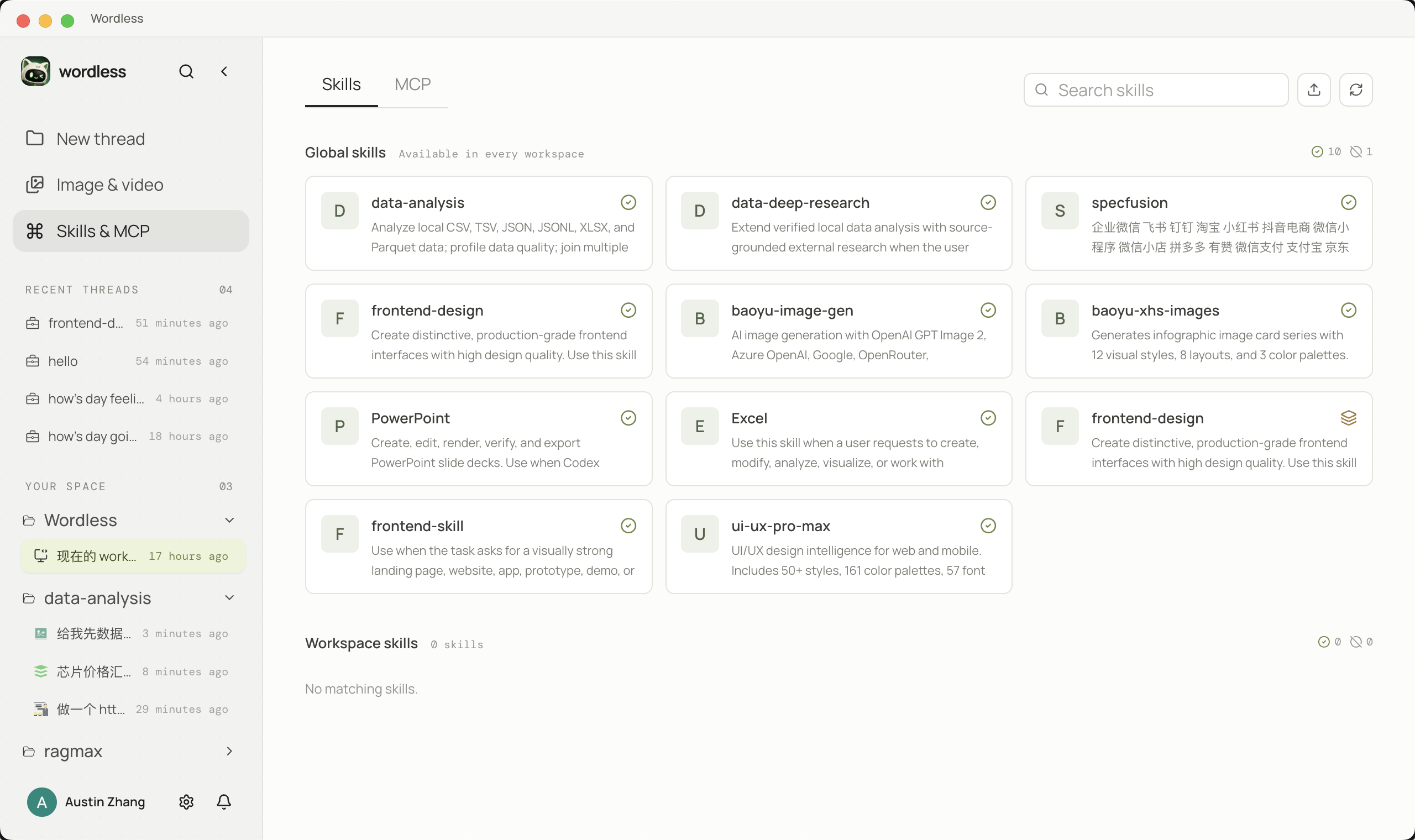
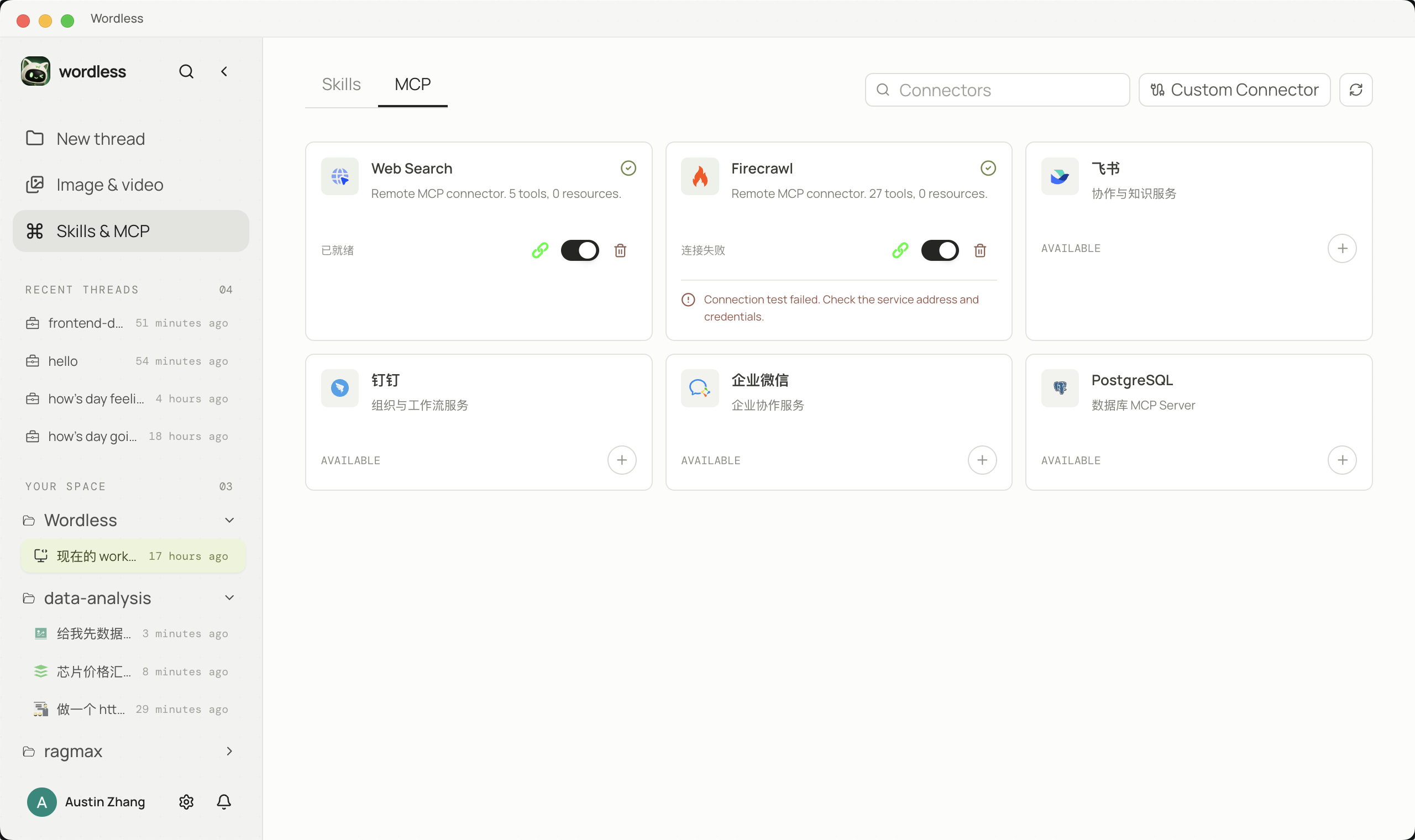
Open Skills & MCP in the left rail. The page has Skills and MCP tabs; each tab switches between Discover and Installed. Catalogs come from the network; installation is local. A connector is usable only after it is configured, enabled, and allowed by the current approval policy.
Discover Skills (SkillsMP)
Section titled “Discover Skills (SkillsMP)”Discover opens the SkillsMP public catalog. Search by name or browse popular keywords. Cards show whether the Skill is already installed. If the network is unavailable, the UI may show an offline cache that is not necessarily current.
- Stay on the Skills tab and choose Discover.
- Search by name or click a popular keyword. Use Load more when the catalog has another page.
- Open an entry and inspect the GitHub sources. Read
SKILL.mdand every accompanying file before installing. Third-party repositories show an explicit warning. - Install only after you accept the source, tools, and permission summary. Installation does not enable the Skill in every session.
- Switch to Installed, enable it, then type
$in Composer to insert its token.


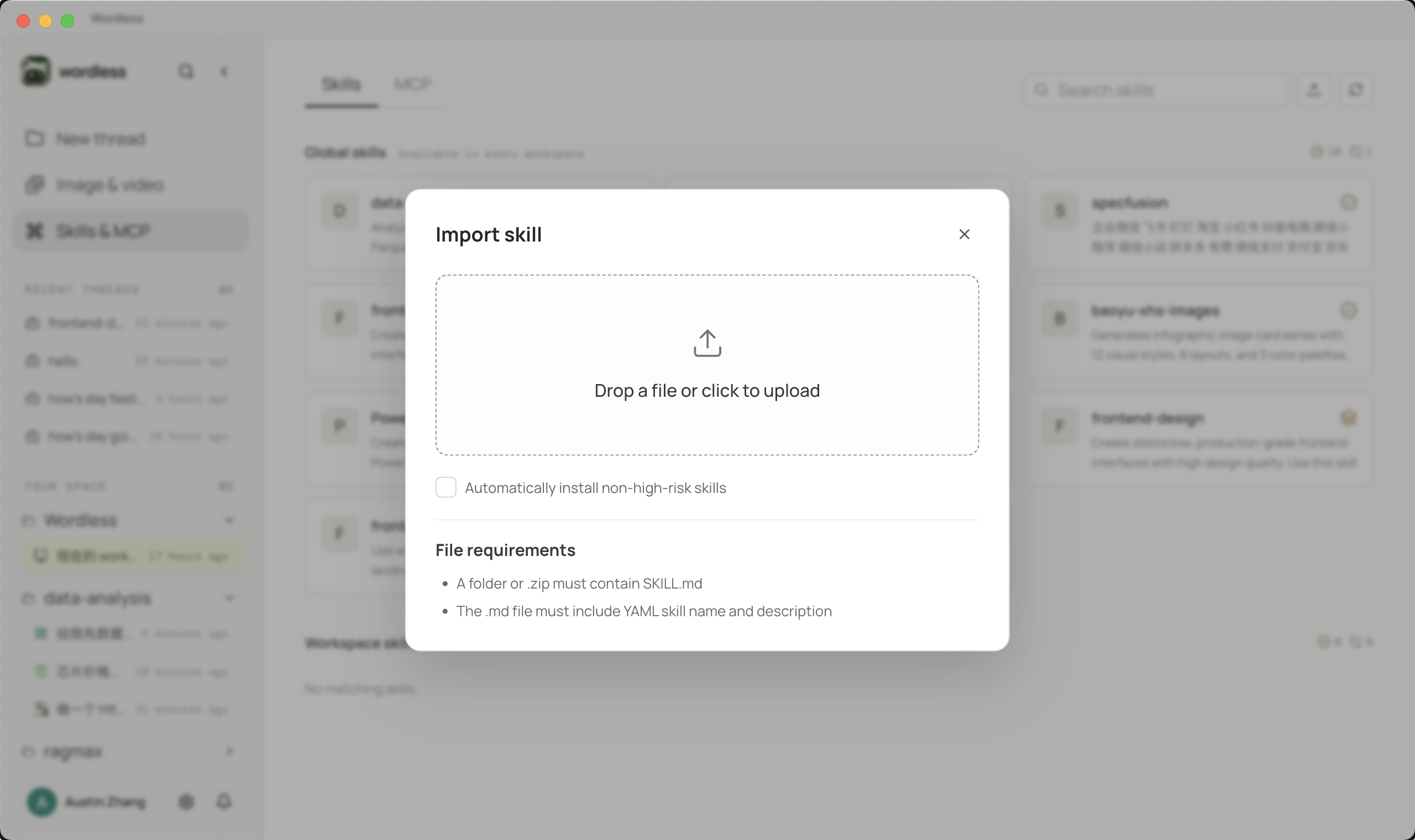
A local archive or folder can still be imported. Confirm the directory contains SKILL.md before importing.
Discover MCP (official registry)
Section titled “Discover MCP (official registry)”MCP → Discover browses the official MCP Registry. Installation and authorization are separate: inspect transport, capabilities, publisher site, and source repository before you install.
- Open MCP → Discover and search by service name or description.
- Open the details and confirm whether the entry is remote Streamable HTTP or a local stdio package, and which authentication it uses.
- Entries Wordless can install land in the local connector list. Complete OAuth or API key setup afterward, then enable the connector on Installed.
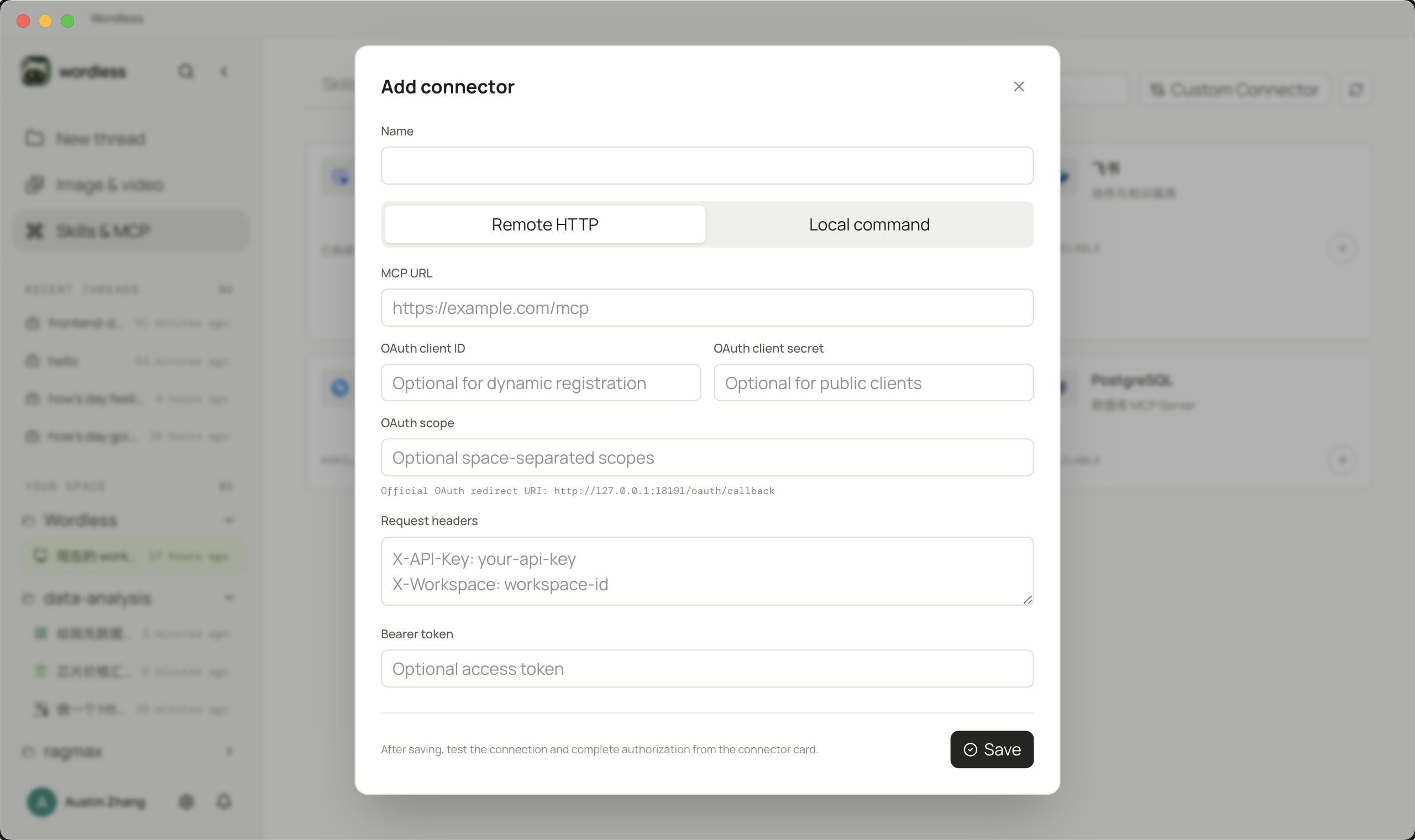
- Entries that cannot be installed automatically show a setup guide (suggested command, headers, environment variables). That text is documentation only; Wordless does not run the command. Use Custom connector and follow the publisher’s instructions.
- When the registry has a newer version than the installed connector, the card offers an update. Read the change before updating.

Add a custom MCP
Section titled “Add a custom MCP”Use a custom connector when the catalog does not cover the service, or when the publisher requires a manual command:
Use them in a session
Section titled “Use them in a session”After a Skill is enabled, type $ in Composer, use ↑/↓, and press Enter to insert its token. State input files, output paths, and acceptance checks in the prompt. MCP tools enter a session only when the connector is enabled and approved. Digital employees and board tasks can select their own Skills and MCP; a catalog listing is not enough to invoke them.
Test and remove
Section titled “Test and remove”Use Test connection on an installed connector and inspect the tool list and health. Keep the original error on failure. Removing a connector deletes the local configuration only; revoke OAuth at the provider separately.