
Custom model configuration
Fetch available models
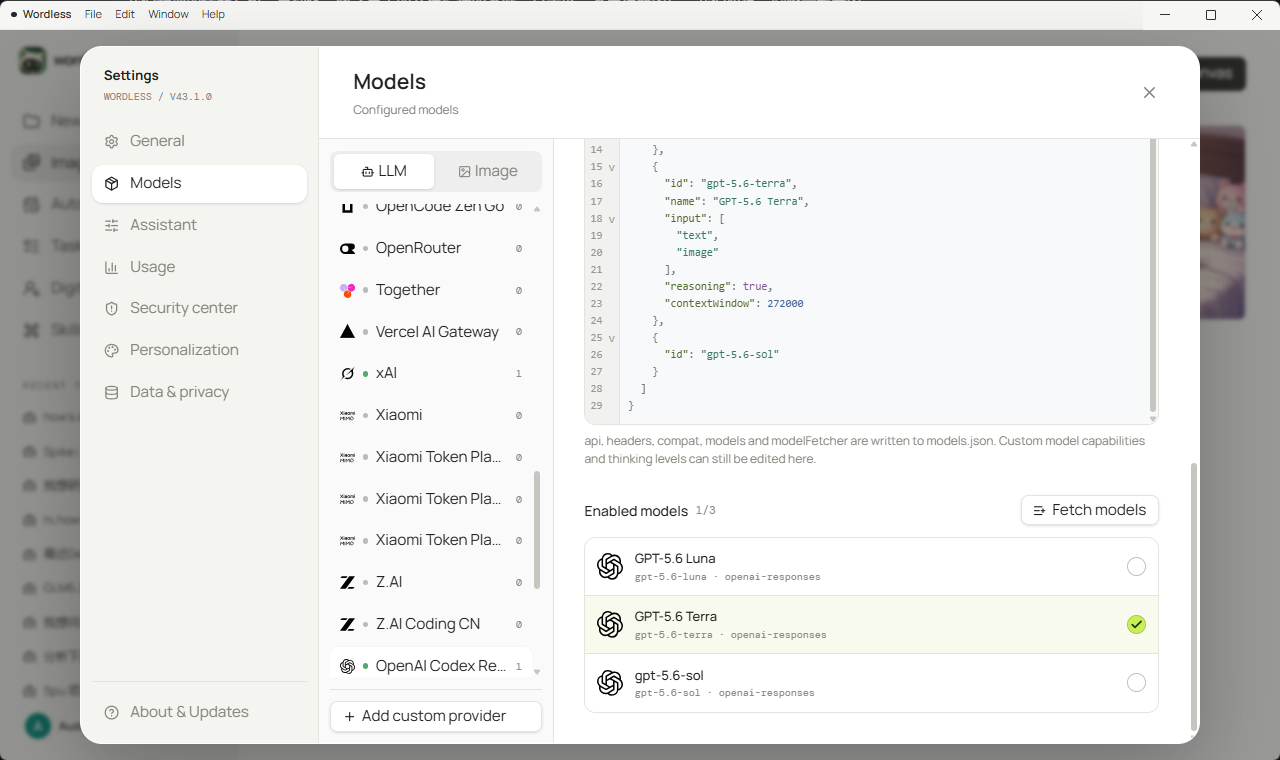
Section titled “Fetch available models”A built-in provider already lists its catalog. Enable entries under Enabled models to show them in Composer.
A custom chat provider does not require a handwritten models array. After you set Base URL and the API key, open Settings → Models, select that provider, and click Fetch models next to Enabled models. Wordless requests the remote catalog from that Base URL and opens the picker.
Search the catalog, expand groups, add a single model with +, or use Add all models. Pending rows show Will add / Will remove. Apply to configuration writes the selection into the provider JSON. Then enable the models that should appear in Composer and Save.
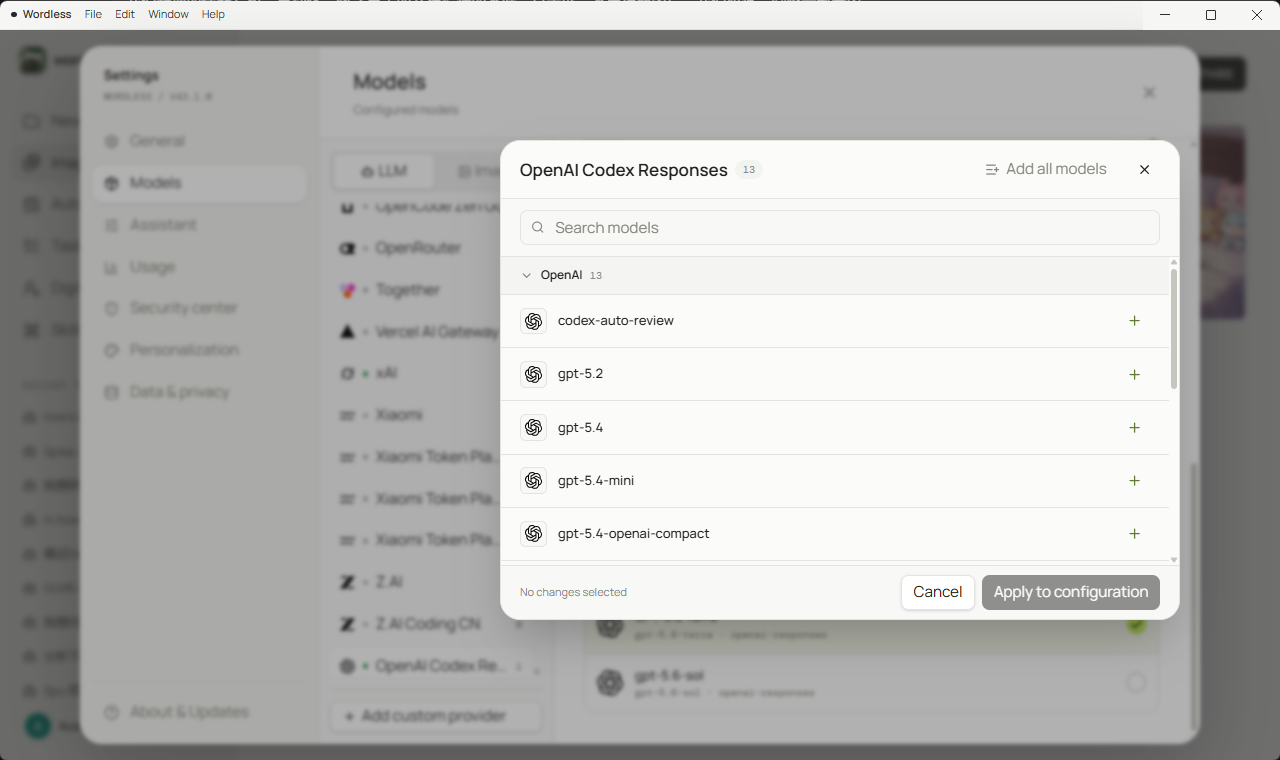
Fetch models appears only on custom chat providers, and only when the Base URL is a valid http(s) URL and the advanced JSON has no syntax errors. Image providers do not use this flow. If the catalog endpoint is not the default OpenAI /v1/models shape, set modelFetcher in the advanced JSON before fetching.
Field reference
Section titled “Field reference”| JSON field | Purpose | Guidance |
|---|---|---|
name |
Provider display name | Use a recognizable name such as Team gateway |
baseUrl |
API root | Usually ends in /v1; do not append /chat/completions twice |
api |
Request protocol | Usually openai-completions or openai-responses |
headers |
Extra HTTP headers | Include only gateway-required headers, not the API key |
modelFetcher |
How to fetch the remote catalog | Omit to auto-match from the Base URL; set it when the catalog API is non-default |
models[].id |
Server-side model ID | Copy it exactly from the provider, or let Fetch models write it |
models[].name |
Composer label | Human-readable and not sent as the ID |
reasoning |
Reasoning capability | Set only when the model really supports it |
input |
Input modalities | ['text'] or ['text', 'image'] |
contextWindow |
Context limit | Use the provider’s published value |
maxTokens |
Maximum output | Keep within the model/API limit |
thinkingLevelMap |
Wordless depth to provider value | Supports off, minimal, low, medium, high, xhigh, max keys |
Configure an OpenAI-compatible gateway
Section titled “Configure an OpenAI-compatible gateway”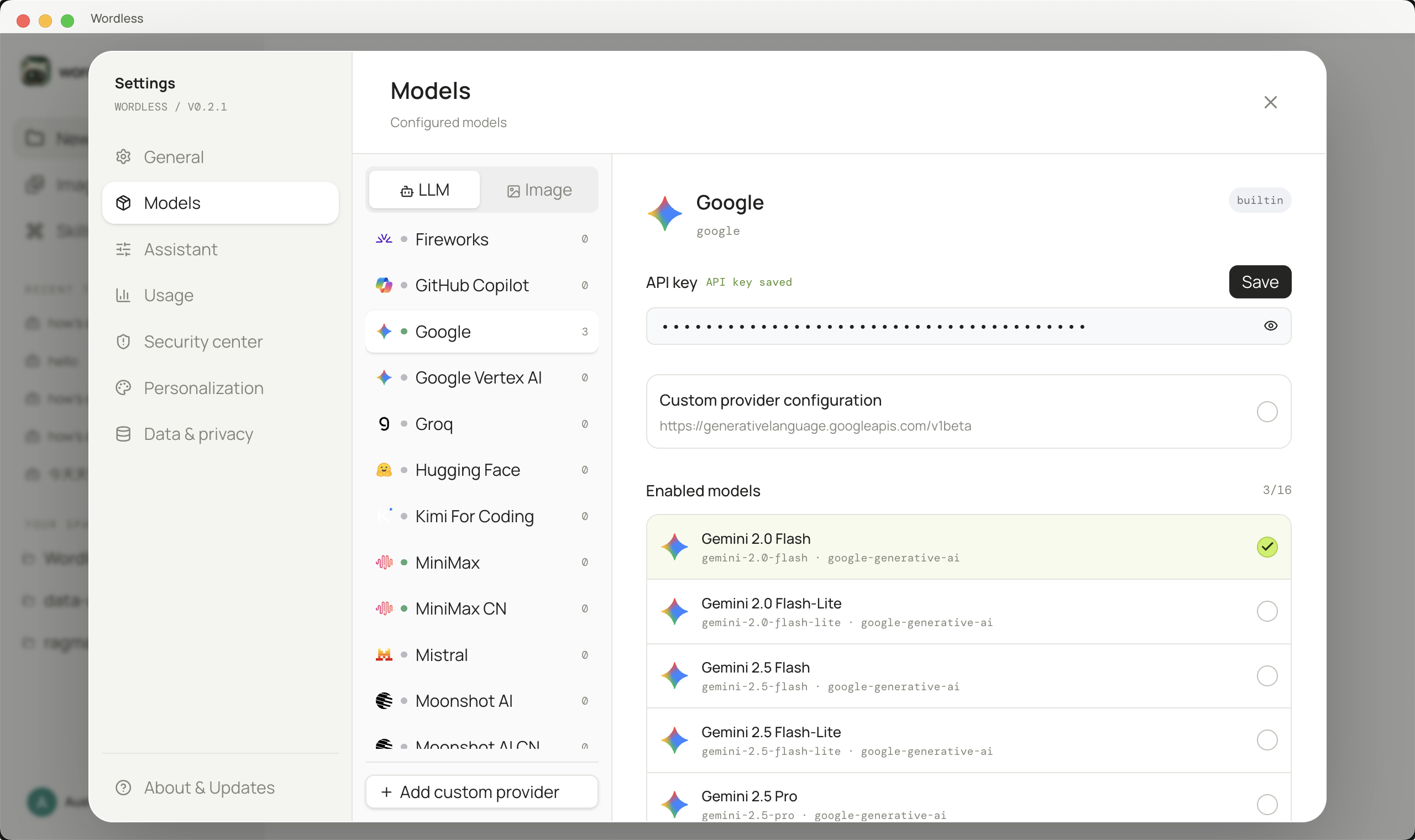
- Open Settings → Models and select Chat.
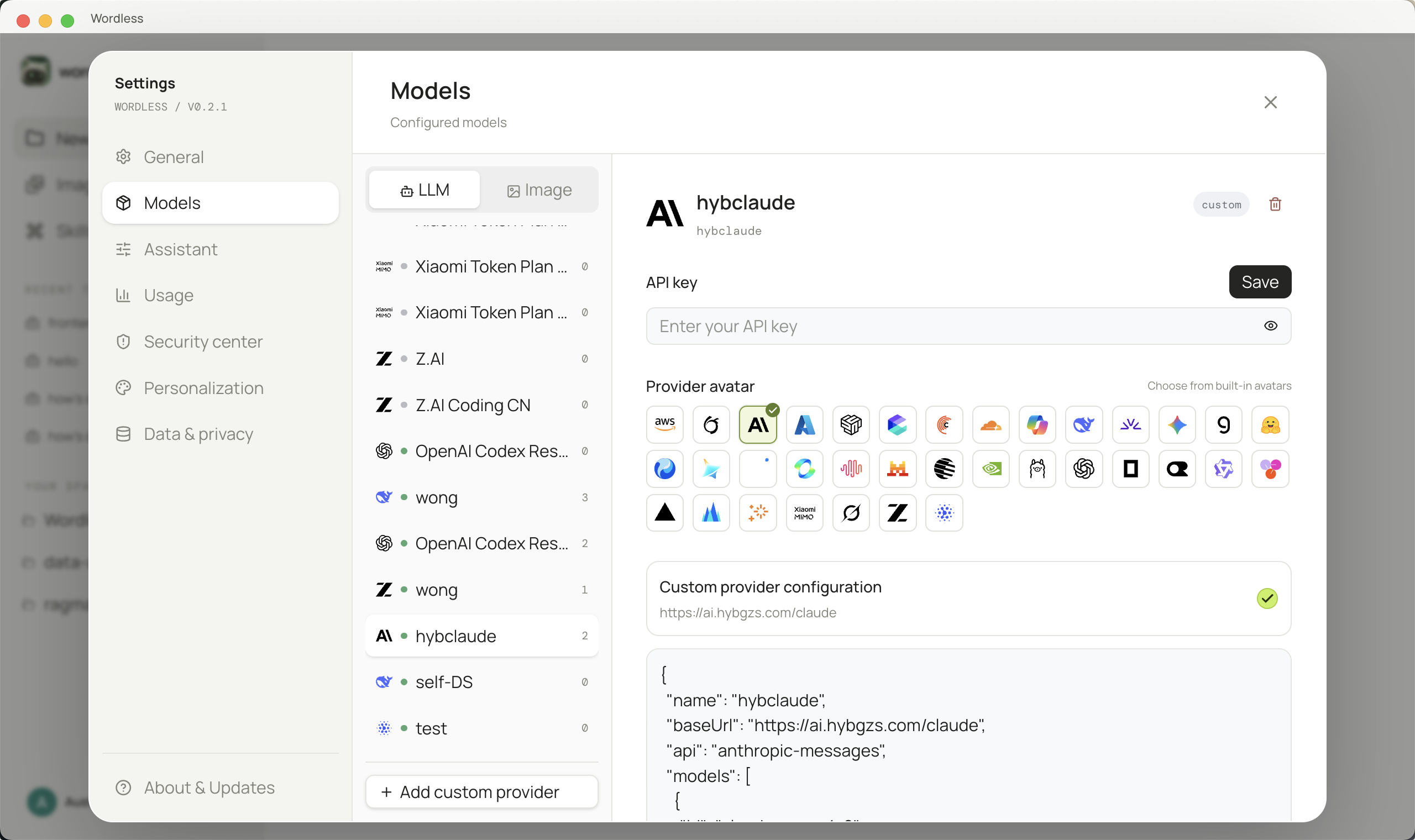
- Click Add custom provider, enter a unique Provider ID using letters, numbers,
.,_, or-, choose an avatar, and create it. - Enter the API key on the right. It is kept separate from the advanced JSON.
- On a custom chat provider, set Base URL, click Fetch models, add entries from the remote catalog, then Apply to configuration.
- Edit Custom provider configuration only when you still need to change the protocol, headers, or thinking depth.
- Click Save; schema errors appear below the API key section.
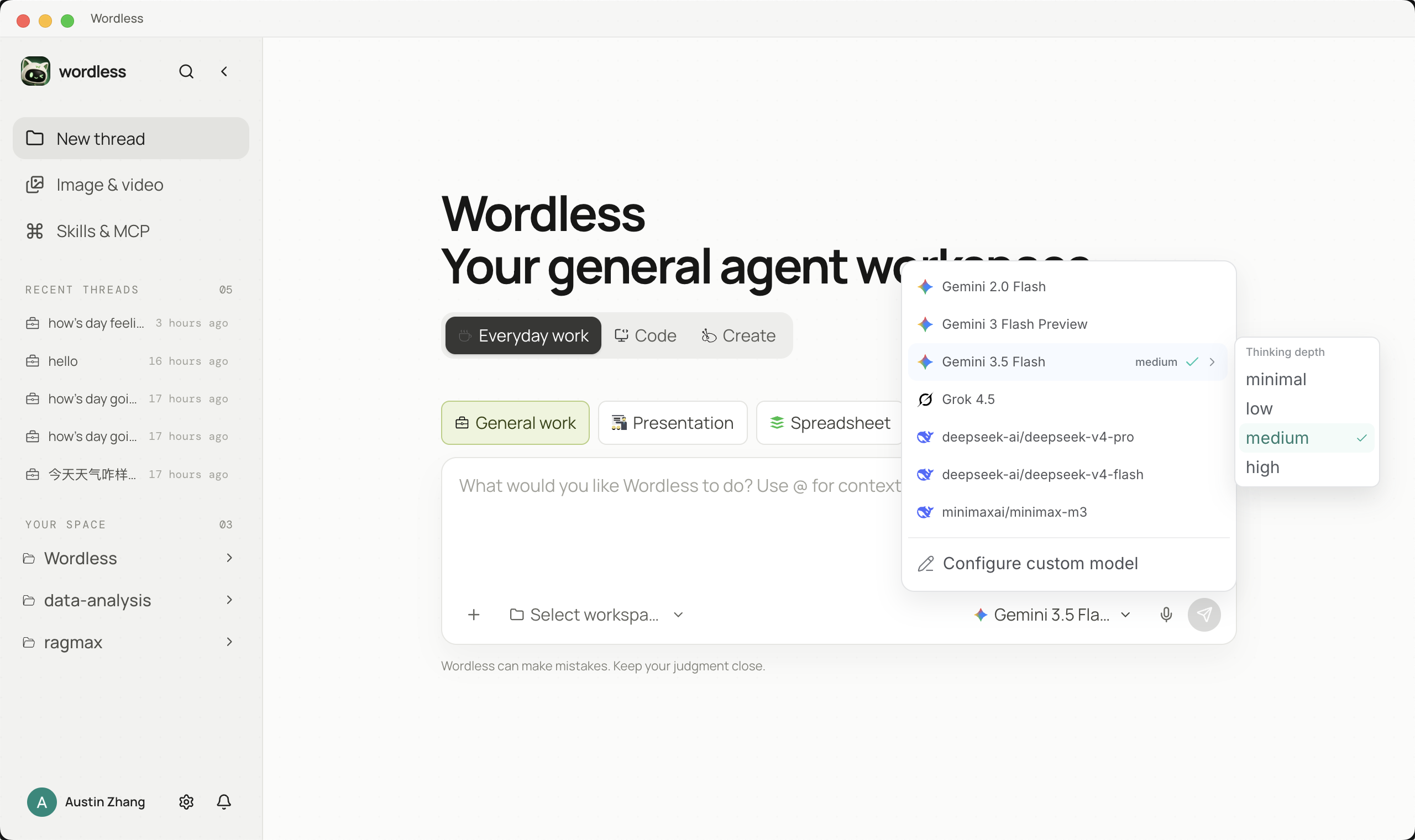
- Enable the new model under Enabled models or it will not appear in Composer.
- Select it in Composer. A thinking-depth submenu appears only when
thinkingLevelMapis configured.
{ "name": "Company AI", "baseUrl": "https://model.example.com/v1", "api": "openai-completions", "headers": { "X-Client": "Wordless" }, "models": [ { "id": "chat-model-prod", "name": "Company Chat", "reasoning": true, "input": ["text", "image"], "contextWindow": 128000, "maxTokens": 16384, "thinkingLevelMap": { "off": "none", "low": "low", "medium": "medium", "high": "high" } } ]}For a built-in provider, use modelOverrides in Custom provider configuration instead of recreating it. Assign null to an inherited thinking level to disable that level explicitly.
Troubleshooting configuration
Section titled “Troubleshooting configuration”401/403 usually means an invalid key or missing model permission. A 404 usually means the base URL has the wrong /v1 suffix or the Model ID is wrong. A timeout points to proxy, VPN, IPv6, or local routing. HTML means a console URL was entered instead of an API endpoint. An empty model list means models is empty, Apply to configuration was skipped, JSON validation failed, or the model is not enabled. Fetch models is disabled when this is not a custom chat provider, the Base URL is not a valid http(s) URL, or the advanced JSON has a syntax error. A failed or empty catalog means the key, Base URL, network, or modelFetcher does not match the provider. If thinking depth is absent, thinkingLevelMap is not configured.
When the model responds, continue to Your first task. Image models are selected on the Image generation canvas, not in Composer. Keep this page open if you still need custom provider fields.