
Your first task
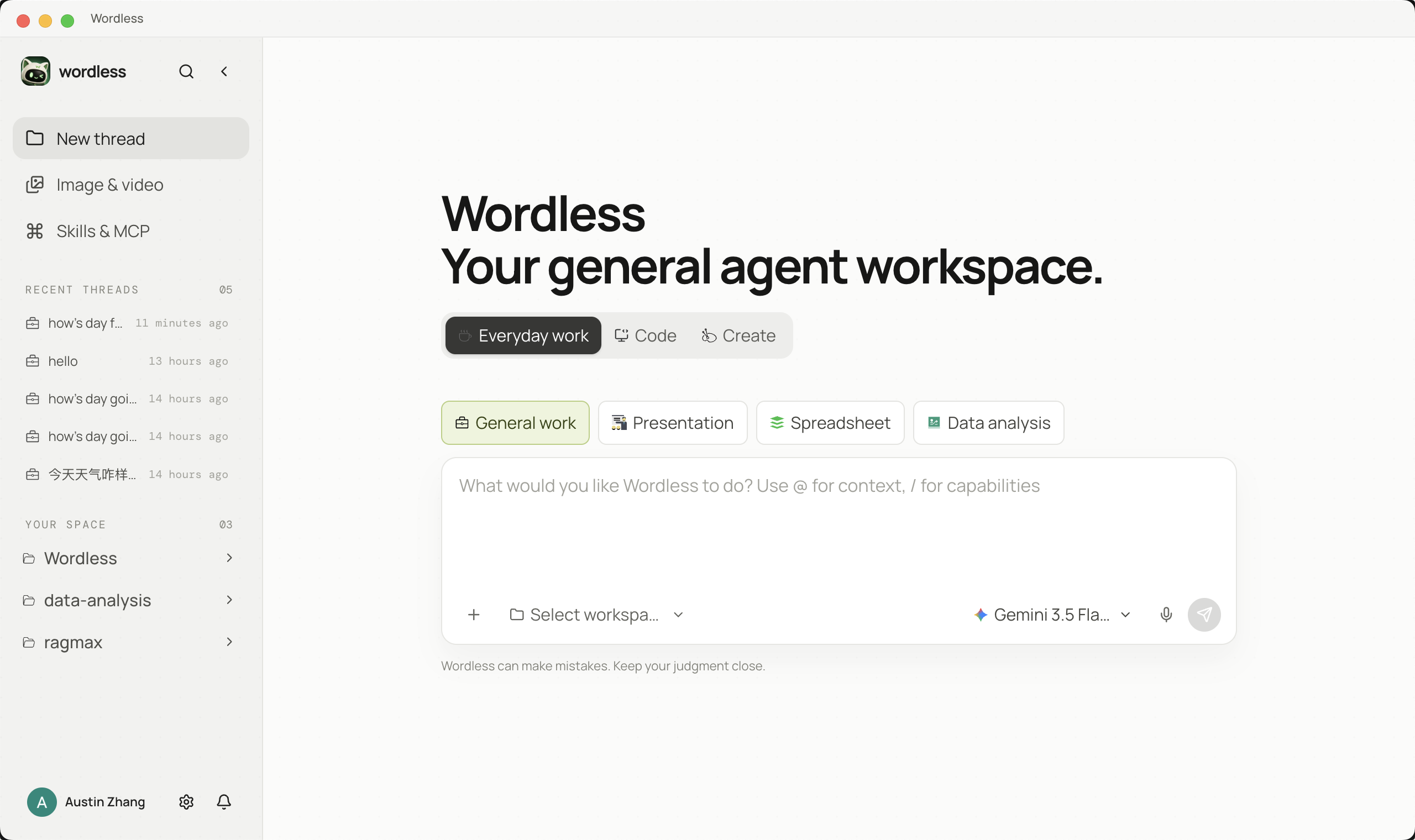
1. Start in General Work
Section titled “1. Start in General Work”Launch Wordless and choose General Work. Select a workspace when the task uses local files; you can skip it for a question that does not require file access.
2. Configure and select a model
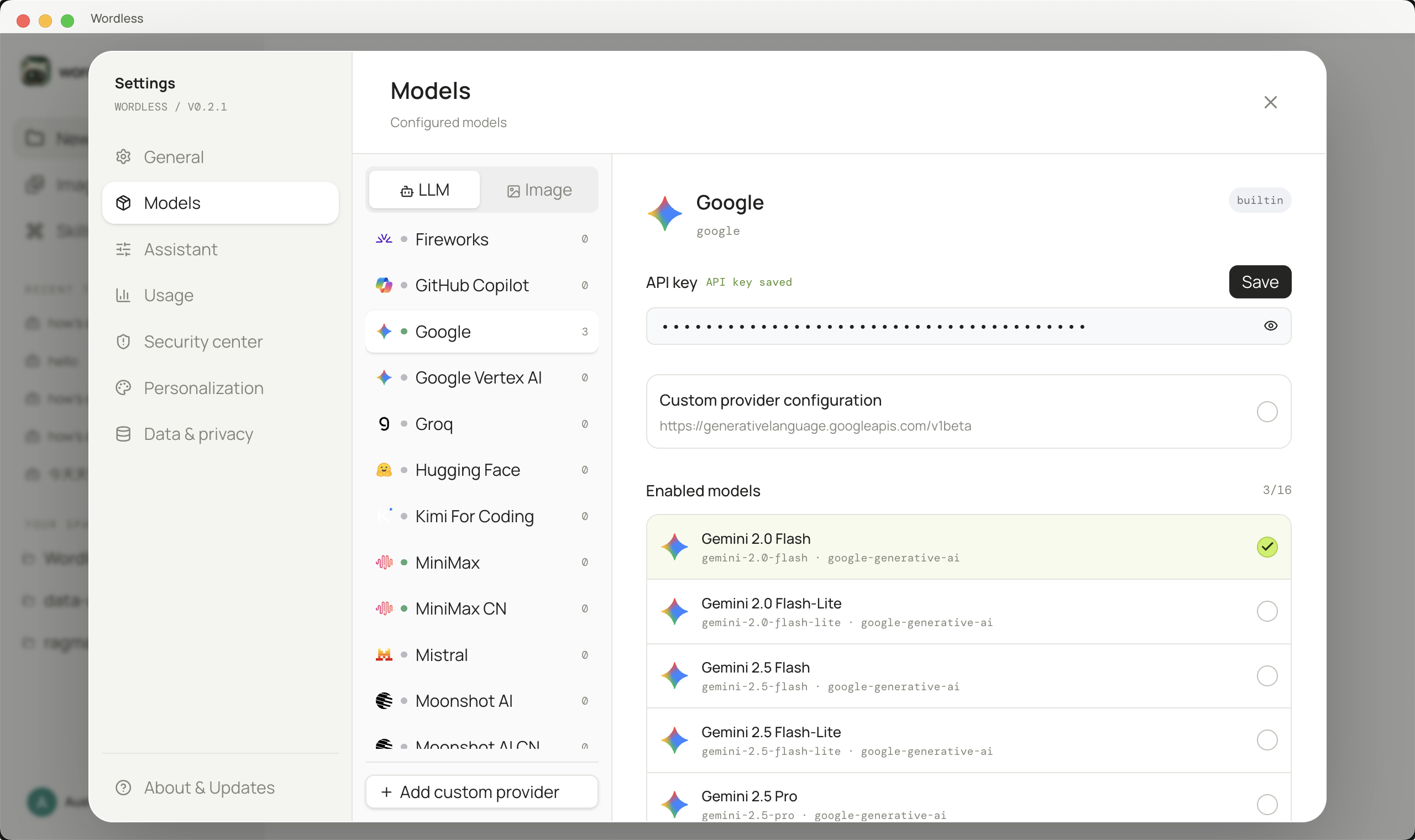
Section titled “2. Configure and select a model”- Open Settings → Models.
- Choose a provider and enter its API key. A custom provider also needs a Base URL; then use Fetch models, Apply to configuration, and enable the models you need.
- Save the provider and enable the models that should appear in Composer.
- Return to Composer, open the model picker, and click the model you want to use.
- A supported model uses
mediumthinking depth until you explicitly choose another value.
Enter API keys only in Settings, never in prompts, project files, or screenshots. See Model configuration for every custom-provider field and complete examples.
3. Create a workspace session
Section titled “3. Create a workspace session”- Create a new session and select General Work.
- Open the workspace picker and choose the example folder containing
README.md. - Confirm that
README.mdappears under Workspace Files. The workspace defines what Default Access can read and modify. - If Wordless reports
The selected workspace is unavailable, select an existing folder that your current account can read.
Use a small project without secrets, customer records, or personal information for this first task.
4. Reference the file and send the task
Section titled “4. Reference the file and send the task”Type @ in Composer, then type README to filter the list. Use ↑/↓ to select the file and press Enter. Enter inserts the reference token without sending the message, so add the instruction before you submit it.
Read @README.md and summarize this project’s purpose, startup steps, and directory structure. Do not modify files. Cite the file path for each key claim and call out missing information.
5. Verify the result
Section titled “5. Verify the result”Do not accept an answer only because it looks plausible. Expand the tool card, confirm its status, open README.md, and check every claimed purpose, command, and directory against the source.
Recovering from states
Section titled “Recovering from states”- Running: the agent is generating or executing a tool; do not submit the same task again.
- Awaiting approval: an approval card in the thread needs your decision.
- Failed: expand the tool result, preserve the original error, and use Troubleshooting.
- Organizing earlier conversation: Wordless is compacting older context and will continue afterward.
Next steps
Section titled “Next steps”After the first task verifies, open these modules when you need them:
- Manage conversations: find this session in the sidebar, then search, pin, or delete records.
- From basics to mastery: start with core concepts, then pick the task board, image generation, a workflow, automation, or digital employee by deliverable.
- Skills & MCP: review and install Skills or MCP from Discover, then reference enabled Skills with
$.