
Spreadsheet
Inspect data, create formulas or charts, and verify each change in the right workspace without damaging the original workbook. The sheet is not an attachment preview; it is the agent’s interactive context.
The worksheet is the context
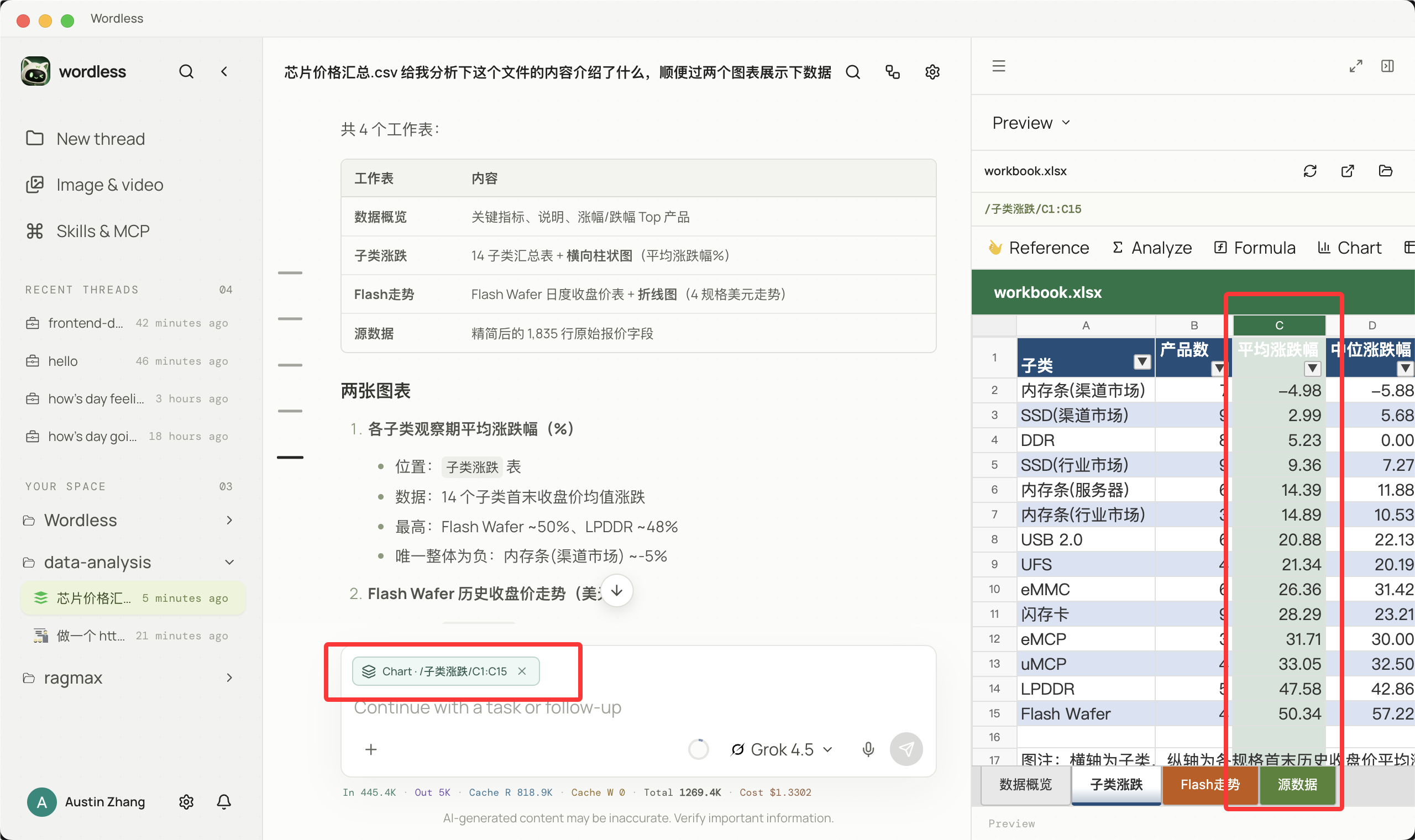
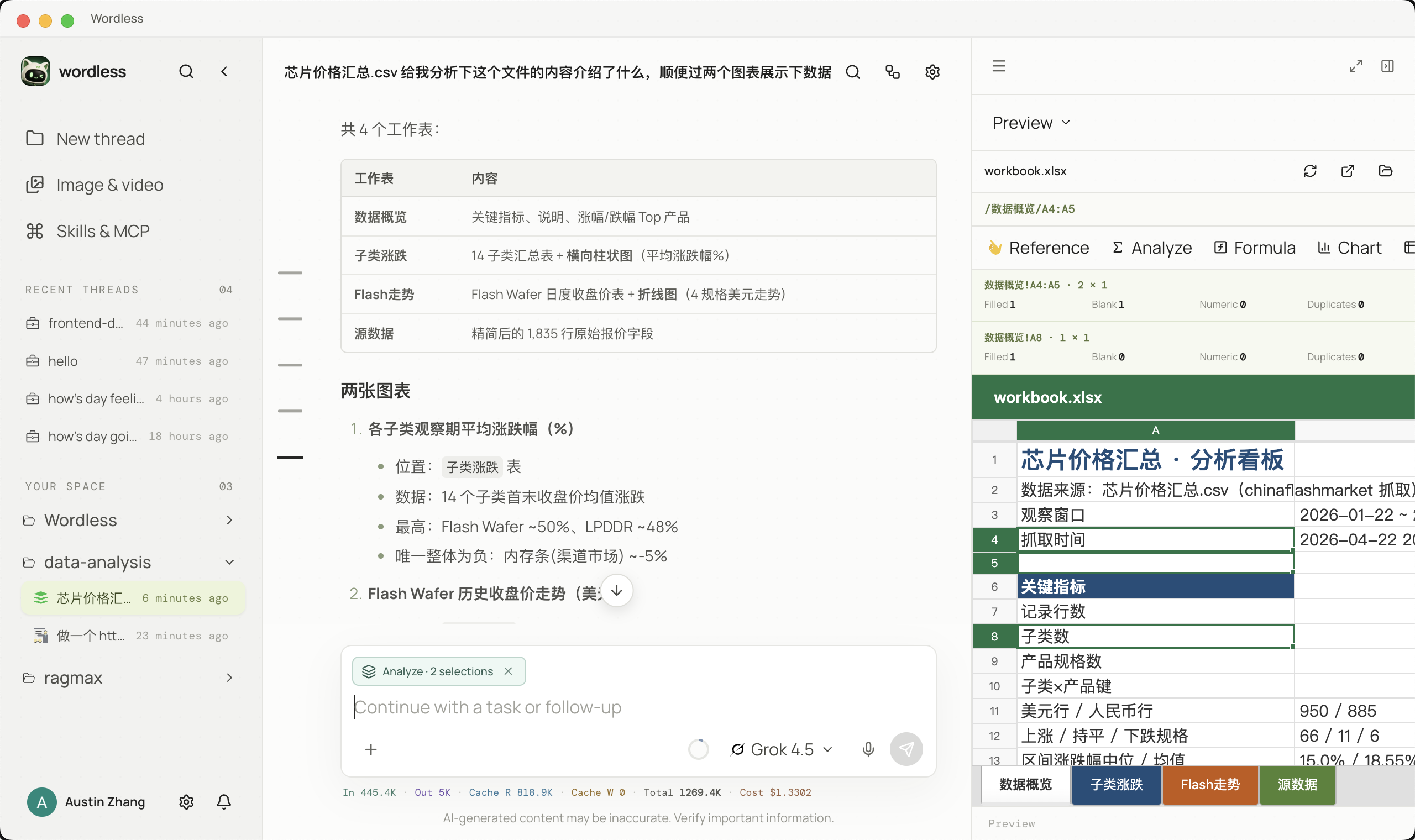
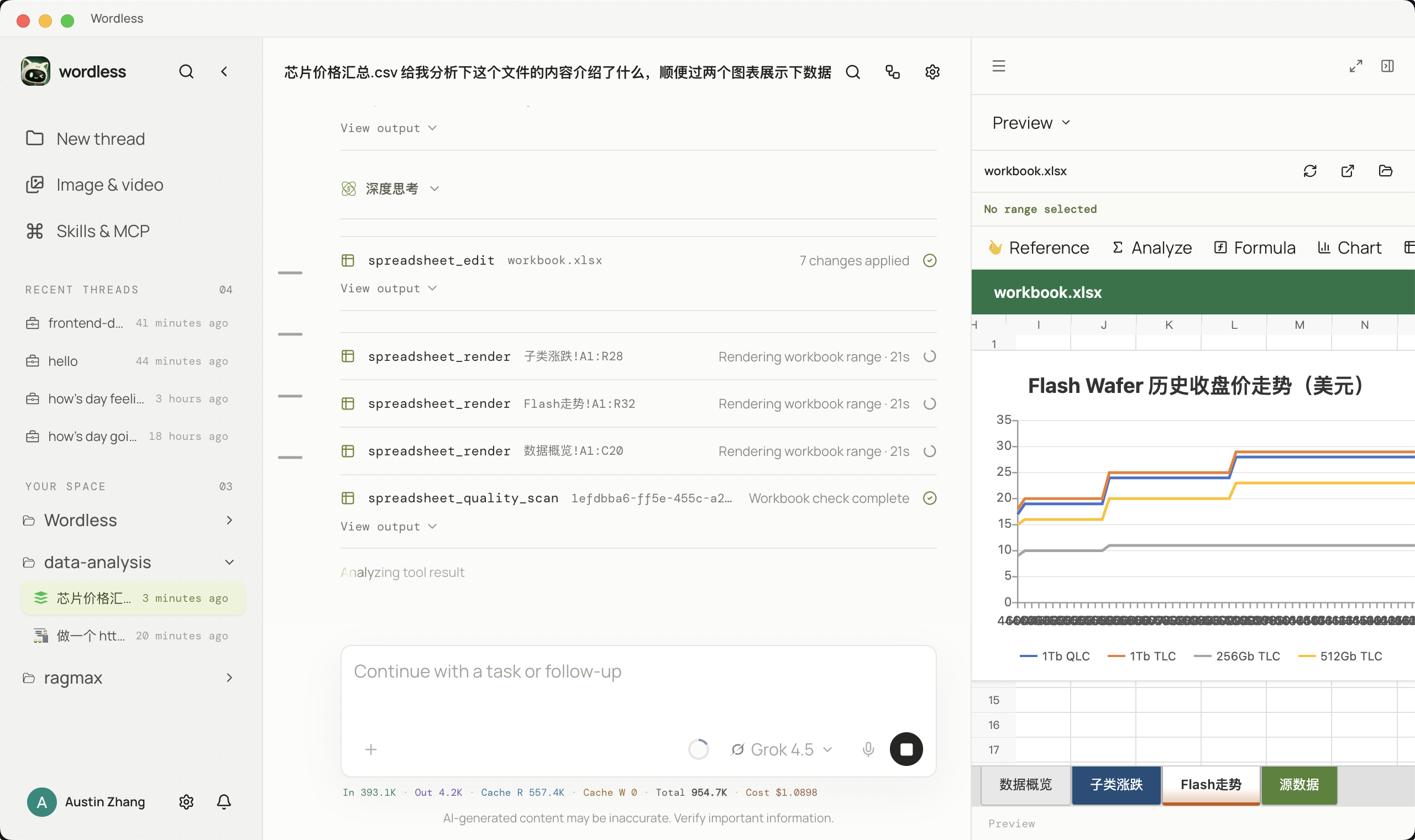
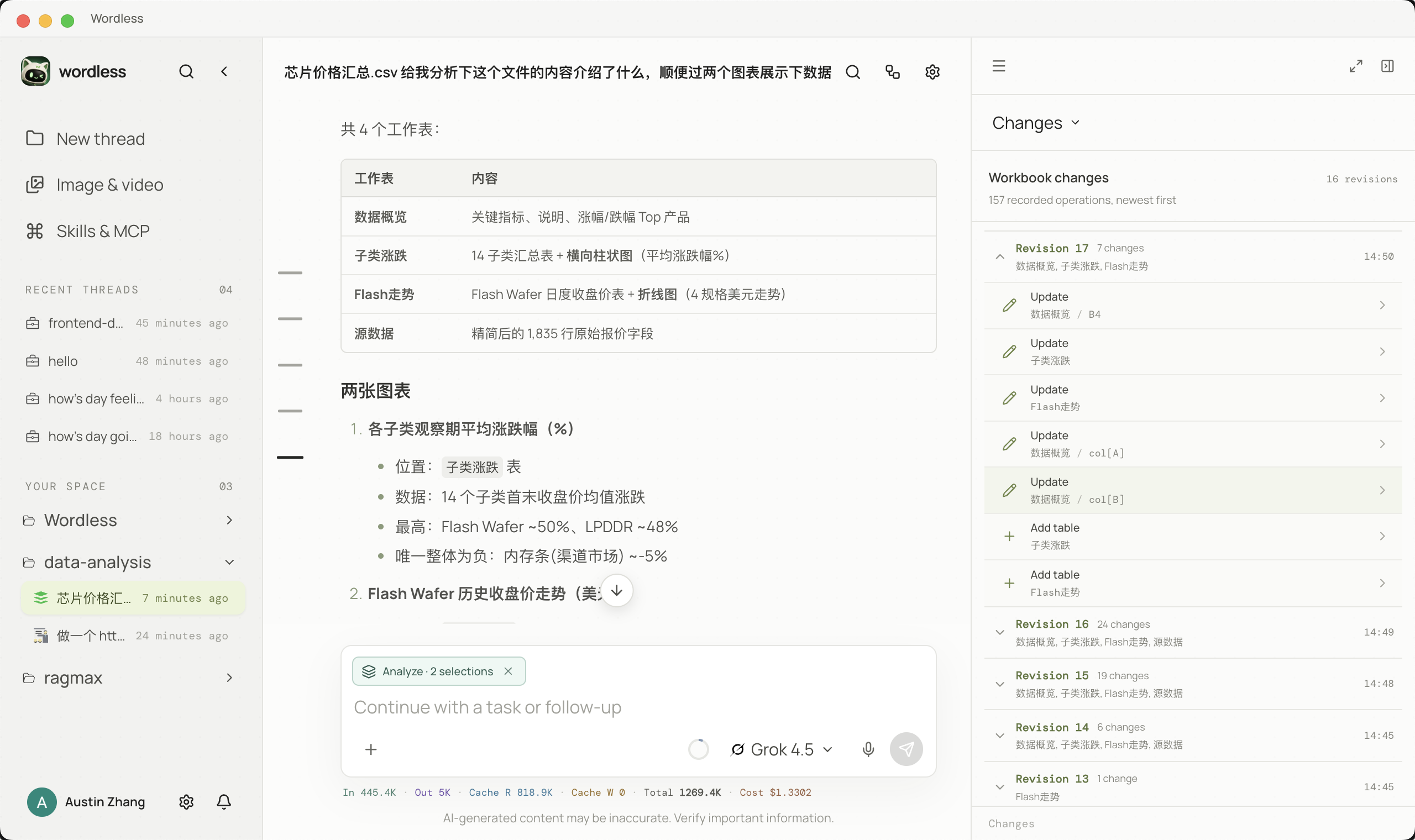
Section titled “The worksheet is the context”When you select a contiguous range, Wordless records its sheet, locator, formulas, and values. Choose Reference, Analyze, Formula, Chart, or Pivot, then describe the goal in Composer. The agent does not have to guess what A1:H500 means. After a tool succeeds, the preview refreshes and Changes plus quality checks remain in the same session.
- Open the workbook and target sheet from Workspace Files; the right panel shows an interactive workbook preview.
- Drag across the contiguous range you want to work on and inspect its locator, formula, and value details.
- Choose Reference, Analyze, Formula, Chart, or Pivot from the selection actions.
- The selection becomes a structured token in Composer. Add the goal, output location, and ranges that must remain untouched.
- Request a quality scan or analysis plan first; review each approval card before a write.
- Ask the agent to apply formulas, charts, or pivots in a copy of the workbook.
- When the tool succeeds, the right preview refreshes immediately. Select another range and continue iterating.
- Review Changes and quality checks, then recalculate and publish from Excel/WPS.
End-to-end analysis flow
Section titled “End-to-end analysis flow”- Open the target sheet and select a contiguous range; reference the whole workbook with
@only when needed. - Run a quality scan for blanks, duplicates, outliers, mixed types, formula errors, and hidden rows.
- Ask for an analysis plan that names the copy path, target sheet, and cell range.
- Approve the write, then inspect number formats, formulas, and chart axes in the preview.
- Review Changes and quality checks. Recalculate formula caches in Excel/WPS before saving.
What is different in Wordless
Section titled “What is different in Wordless”Traditional workflows copy ranges between chat, Excel, and a terminal. Wordless keeps selection references, analysis, approval, live preview, change history, and quality checks in one thread. Workbook operations integrate iOfficeAI/OfficeCLI; recalculate formula caches in Excel/WPS before final verification.
| Scenario | Action in Wordless | Verification |
|---|---|---|
| Data quality audit | Select a range and choose Analyze | Every finding has a row and field |
| Monthly analysis | Choose Formula/Chart for the selected range and write to a copy | Original unchanged and chart source correct |
| Template report | Reference a sheet and choose Pivot | Sheets and formatting preserved, no recalculation errors |
Some spreadsheet libraries write formulas without recalculating cached values. Open and recalculate in Excel/WPS, save, and verify again before treating a preview as final.